Designing a one-stop-shop for corporate event planning
Timeline
November 4 - November 6, 2022 (48 hours)
Skills
Interaction Design, User Research, Product Thinking
My Team
Charissa Jeong (designer), Serena Li (designer)
Project Context
Design challenge
While remote working is great, it’s still important to have face-to-face time to help build strong relationships. Organizations are bridging this gap by hosting onsite get-togethers in locations around the world. However, the process of organizing these trips is challenging, and time consuming.
Develop an app that helps organizations plan corporate trips. Ensure you consider budgets, organizational values, travel restrictions, team member restrictions (ie. visas), food, accommodations, workshop spaces, team adventures, etc.
First, let's define our problem
PROBLEM DEFINITION 🎯
Current Workflow
The process of planning get-togethers is challenging, and time-consuming. From the design space given, we drafted a problem statement:
How might we design a mobile app that allows organizations to conveniently plan and manage events while taking into account employee considerations?
DEFINING USERS 👥
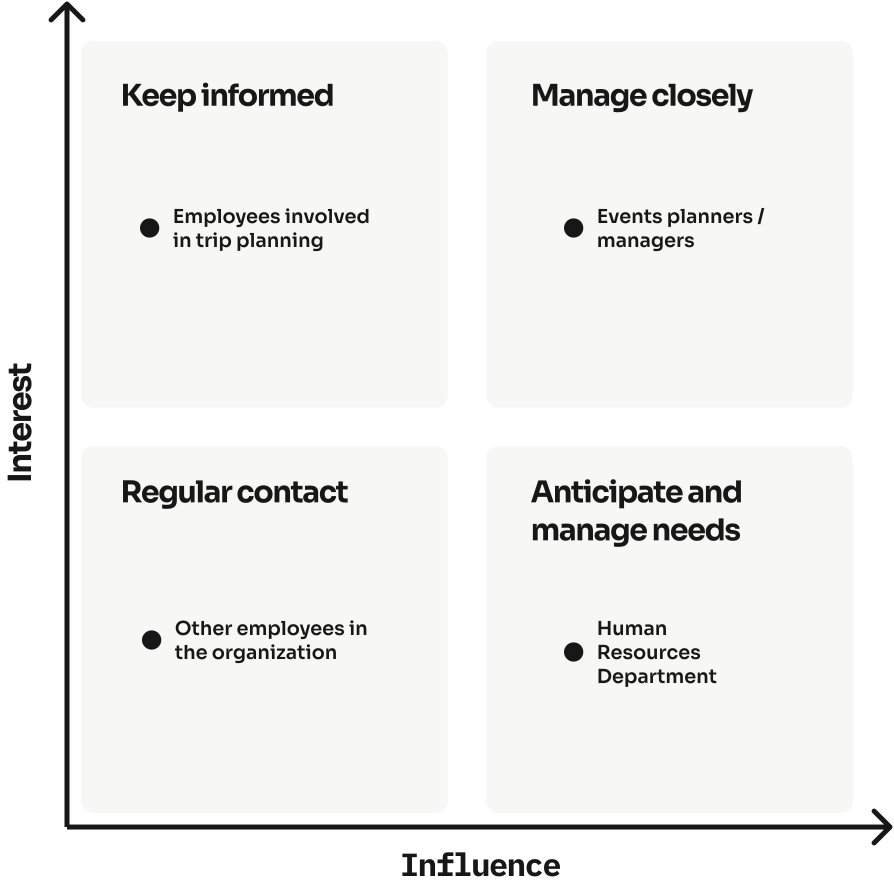
Stakeholder Map
Our sponsors outlined that the user types for our app should include: corporate employees with the option to work remotely, young adults impacted by COVID-19, experienced/senior managers who are unfamiliar with remote work, and the human resources department. Using these user types, we created a stakeholder map to determine our role in assisting each user group's needs.
Next, let's conduct some research
PRIMARY RESEARCH 🔍
User Interviews
Due to time constraints and the scope of this design challenge, we decided to interview a few family members and close friends who fit the description of our primary users.
Needs
  • An efficient and convenient way to plan a trip
  • A reliable platform to invite employees to the event and manage attendees
  • An app that allows managers to view any considerations for their employees when planning a trip (such as dietary restrictions, locations, etc.)
Pain Points
  • Current trip-planning apps or event-scheduling apps only address one need at a time (i.e. employee schedules)
Needs
  • A secure platform to view all the corporate events invites
  • A fast and convenient way to reply to event invites and indicate whether or not they will be attending
Pain Points
  • Most managers when planning corporate events, they typically prioritize the considerations of the company, not the employee
  • Corporate trips can become inconvenient to attend due to location, time, or even dietary restrictions
Common pain points
  • Most employees expressed that they have not met up with their co-workers since the beginning of the pandemic and this has caused a shift in the company culture
  • There are so many considerations, making it tedious to manage and difficult to plan a trip that accommodates all employees involved (i.e. must consider schedules, locations, company budgets, dietary restrictions, etc.)
SECONDARY RESEARCH 🔍
Competitive Analysis
As a part of our secondary research, we conducted competitive analysis to explore some existing user experiences.
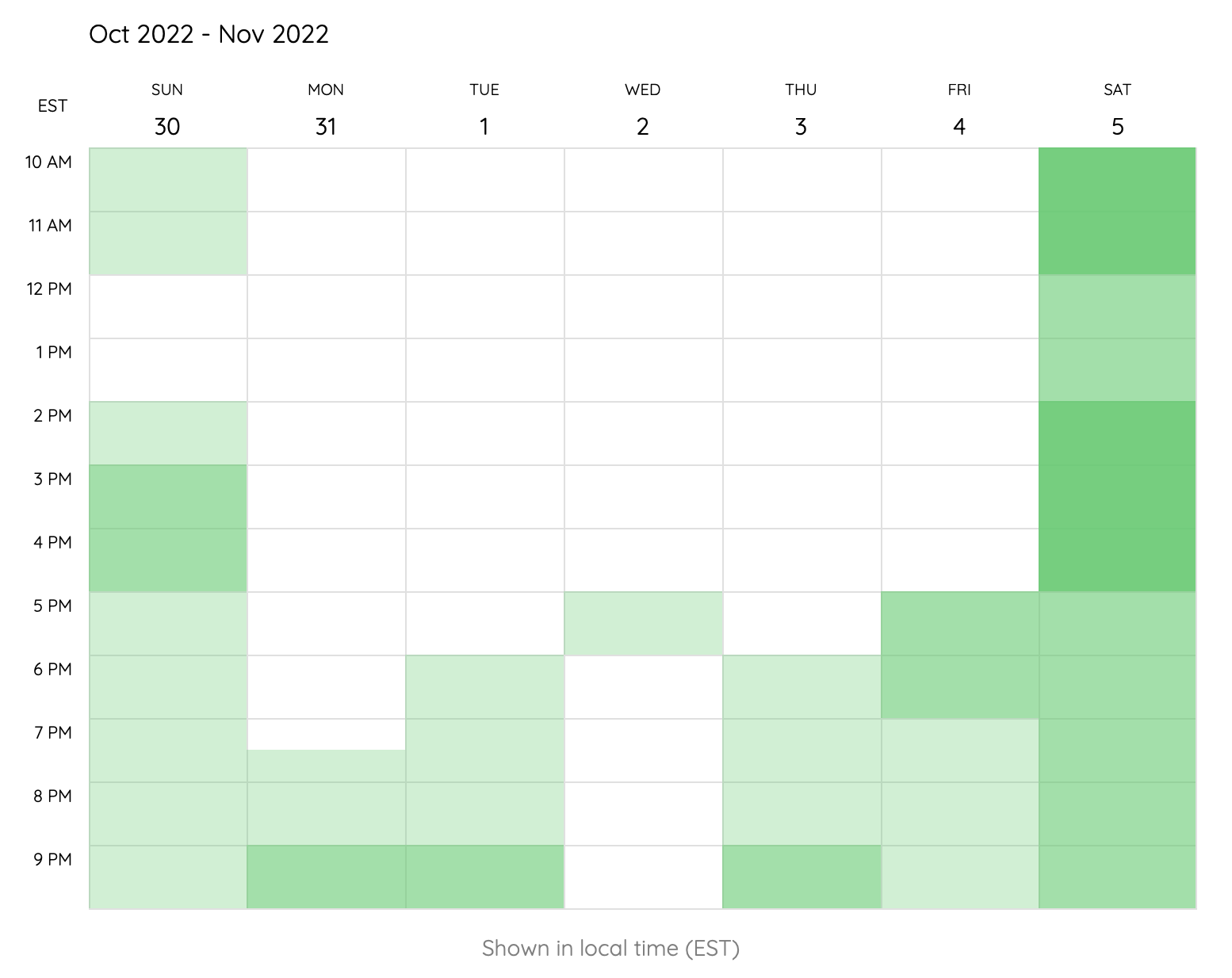
Lettucemeet
What we liked: ability to visually see team members' availabilities, with most overlap in availabilities having higher contrast.
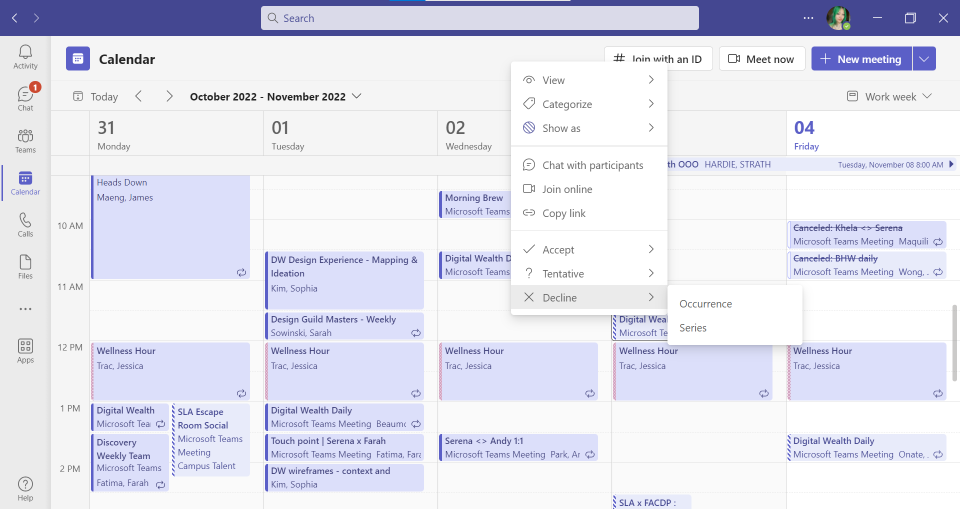
Microsoft Teams
What we liked: calendar view having all events (with visual indicators for those the user has RSVPed and those the user has simply been invited to).
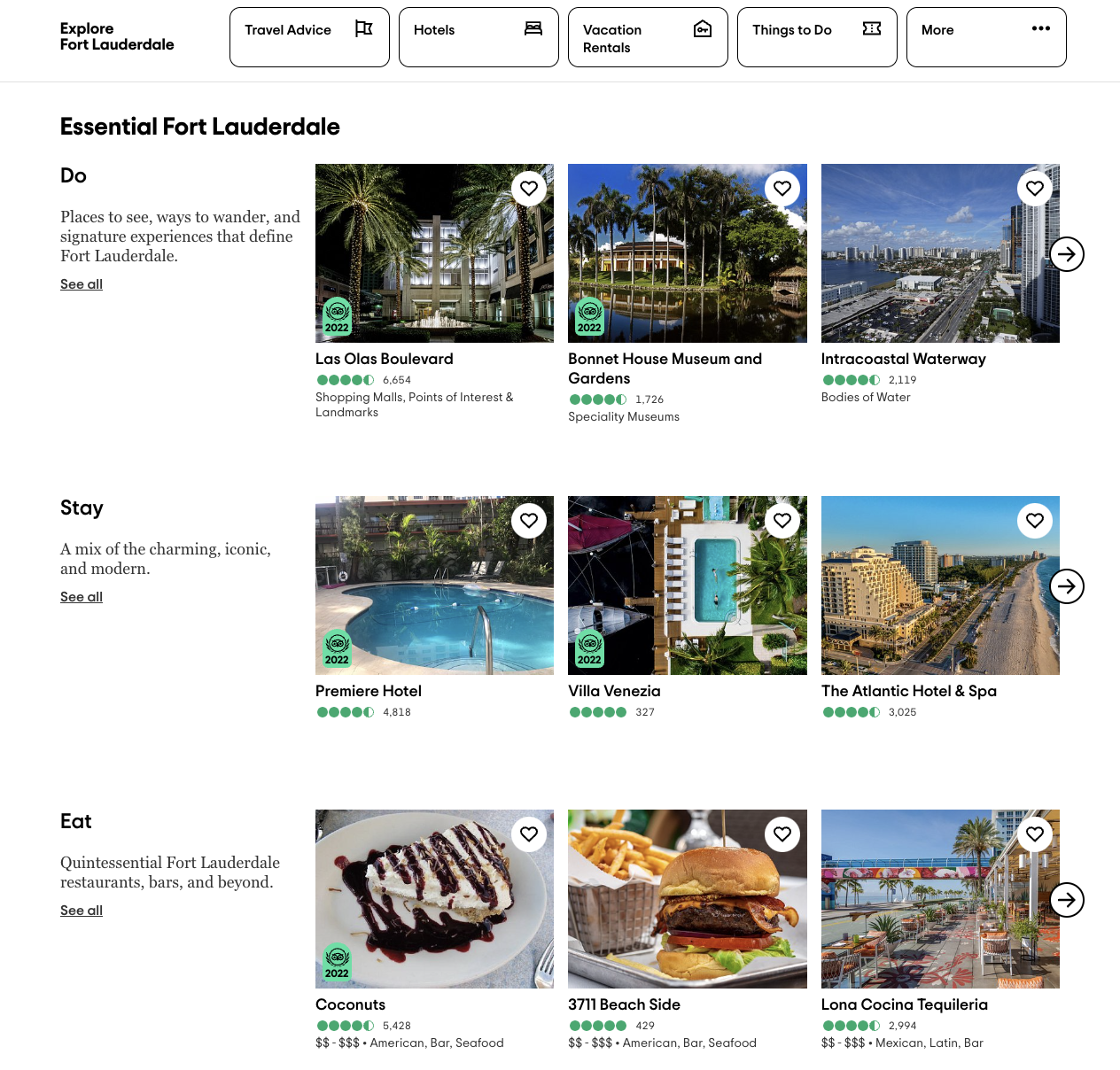
Trip Advisor
What we liked: page providing suggestions for hotel recommendations, flights, restaurants, etc. (grouped by category) based on budget or location entered (or other filters).
Now, let's get to ideating!
IDEATE 🖋
User Flow Diagrams
Using the competitive analysis and brainstorming we conducted, we created some user flow charts.
IDEATE 🖋
Low-Fidelity Sketches
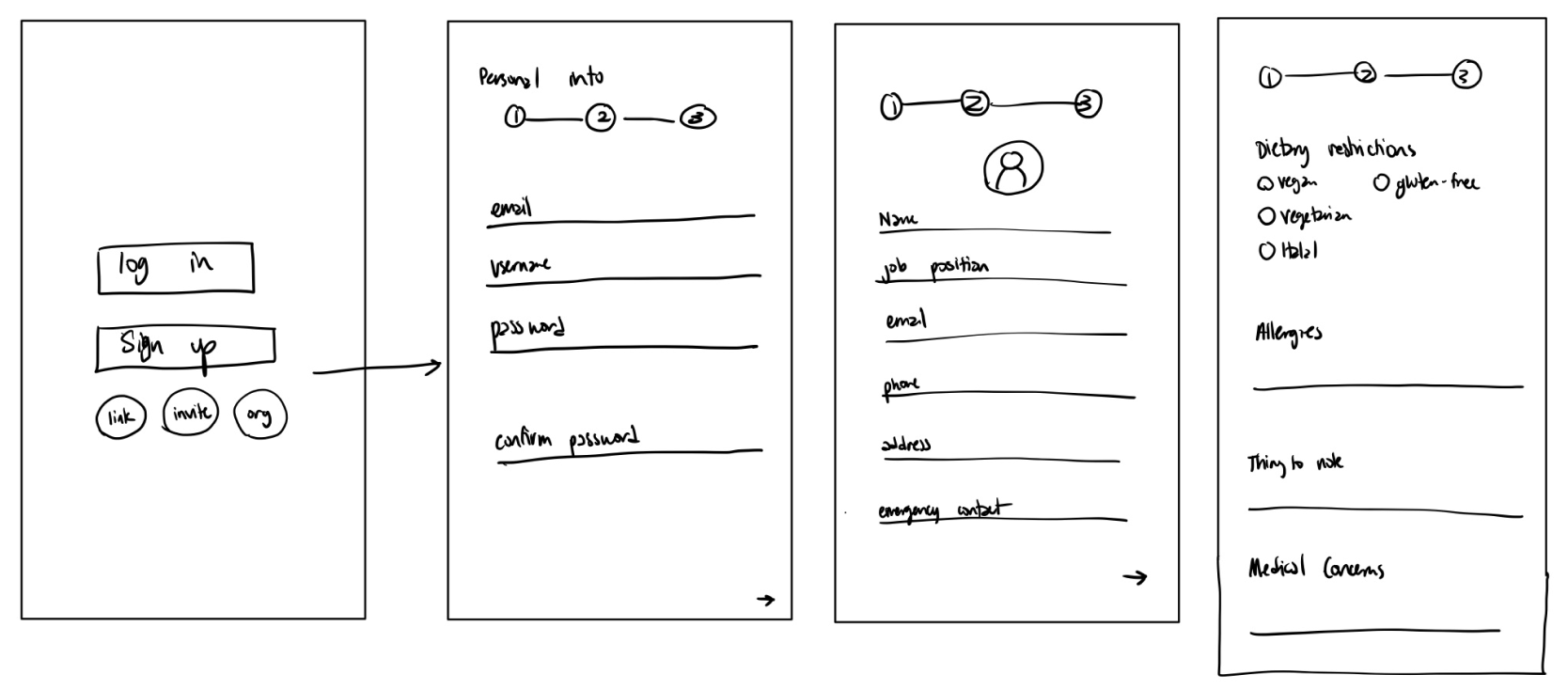
Using the user flow charts we sketched some low-fidelity wireframes to better visualize what our app will look like.
Finally, it's time to pitch our final designs!
FINAL DESIGNS 💻
Wireframes
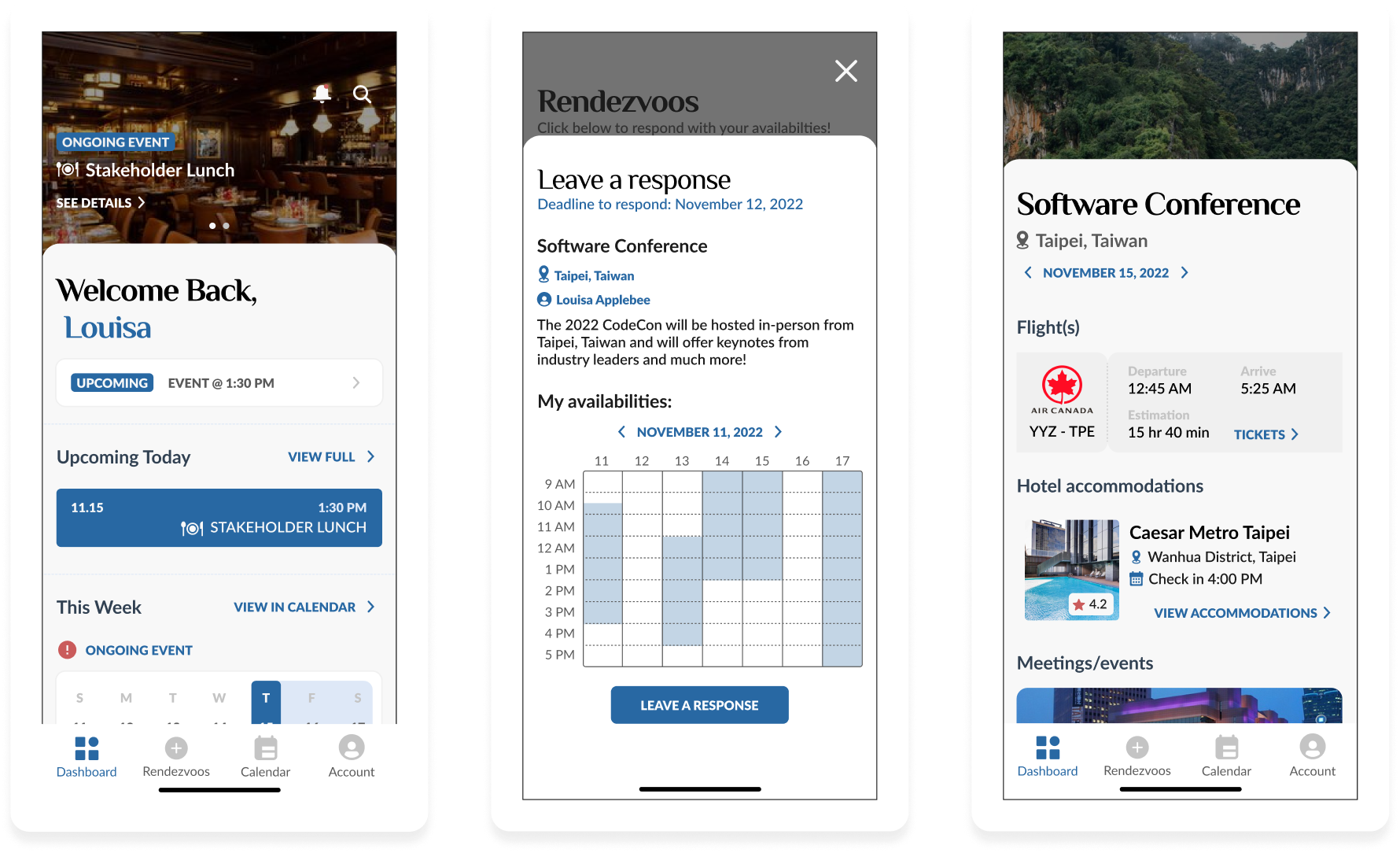
Because of time constraints, we did not get the chance to do many low-fidelity design explorations, so instead we went straight into mid-fidelity designs and asked each other for design feedback as we worked.
FINAL DESIGNS 💻
Prototype
Finally, we mapped out the most common flows we wanted to present during our pitch in our prototype.
Reflecting on this project...
REFLECTIONS 💭
Lessons Learned
Embrace discomfort
Signing up for my first ever designathon was out of my comfort zone. This designathon not only challenged my resiliency but also forced me to put myself out there. In the end, I was able to accept the constructive feedback given to me by the judges and it has helped me grow as a designer.
Set a schedule
With such a tight time frame, time management was crucial to the success (and completion) of our project. We created a rough timeline outlining all the most important flows that required the most time and planned around those bigger flows.
Challenge my assumptions
Because of time constraints, we split the workload and began conducting user research while simultaneously beginning the ideation. We were still understanding our users' pain points while brainstorming what features we wanted to include, which led to drawing many conclusions and operating on the assumptions. We found that speaking with users broadened our perspective and highlighted pain points we hadn't considered before.
REFLECTIONS 💭
Next Steps
More design explorations
Ideally, we would have been able to try out different design conventions for each feature. If we had more time, I would also advocate for creating multiple iterations of each feature.
Usability testing
In order to fully understand the usability of our product, we would like to have conducted usability testing sessions with volunteers who best fit our main user group. These usability testing sessions would ideally point out some parts of our product that may not be as intuitive as we thought.
Design for accessibility
One very important design consideration when creating such a product is its accessibility. However, designing for accessibility typically requires lots of research, which we unfortunately did not have the time for.
STILL NOT CONVINCED❓
Check out some of my other work below!
Interaction Design
Product Thinking
Designing an AI-Powered Literature Summarization agent for modern labs
Revvity | June 2025
Interaction Design
User Testing
Scaling an Agentic AI interface to support 100+ AI agents
Revvity | July 2025